
What Is a Digital Wallet?
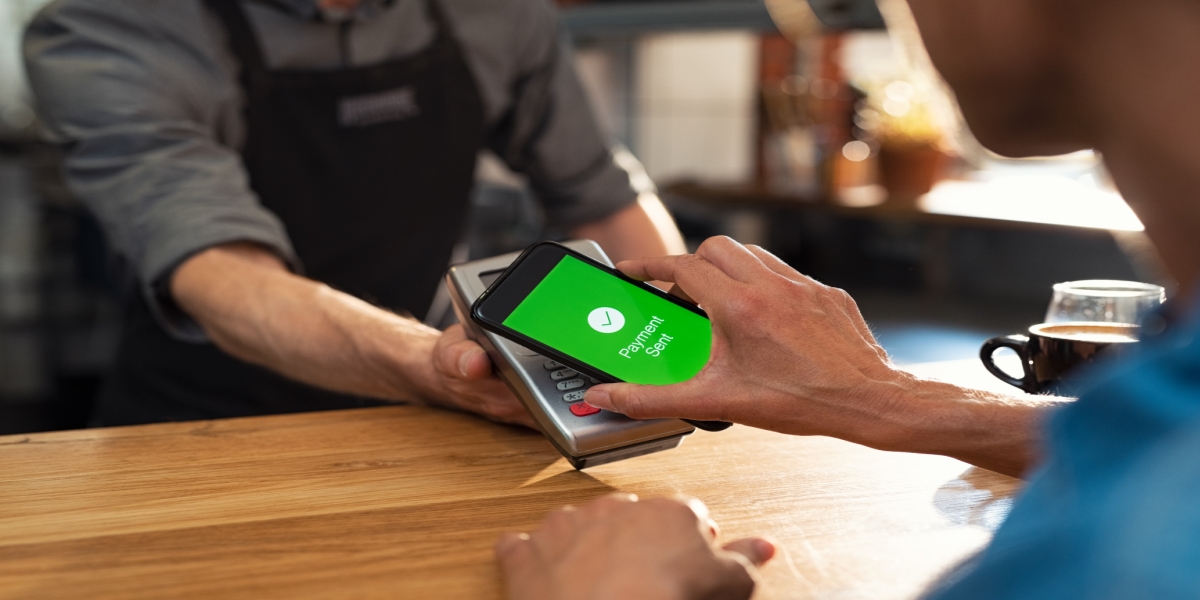
Your phone is a part of your life: texting, social media, checking your accounts at Freedom Bank and so much more. Digital wallets may sound high-tech, but they’re really about simplicity and safety. A Digital Wallet is simply a way to store your credit or debit cards on your smartphone. Once you set it up, paying with your phone is fast, secure, and convenient. You’ll probably find yourself wondering how you ever did without it.
🔒 Is It Safe?
Digital wallets are designed to be very secure, and in many ways are even more secure than traditional cards.
Here’s why:
- Your real card number isn’t used at checkout. Instead, the system creates a unique, encrypted code for each transaction. That means your actual card number is never shared with stores.
- Only you can authorize a payment. Every purchase requires Face ID, your fingerprint, or a passcode.
- You’re protected if your phone is lost. If you ever misplace your phone, you can instantly lock or erase your wallet remotely using your Apple or Google account. You can also call Freedom Bank to remove the digital wallet association with your card.
Important Security Considerations
-
-
- Use strong, unique passwords: A strong password is your first line of defense.
- Monitor your Freedom Bank accounts: Regularly check your account transactions for any suspicious activity. Use the Freedom Bank mobile app, FreedomBankMT, to set up transaction and balance alerts.
- Secure your devices: Require a passcode or biometric login (such as FaceID or fingerprint ID) to unlock your phone or tablet. Keep your operating systems and web browser on all devices updated to protect against security vulnerabilities.
- Avoid public Wi-Fi for sensitive transactions: Do not access your digital wallet or make payments on unsecured networks.
-
🛒 How Do You Use It?
Using a digital wallet is surprisingly easy, even if you’re not especially tech-savvy.
- Set It Up
-
- Open the Wallet app on your smartphone and follow the steps to add your credit or debit card.
- For more step-by-step instructions about setting up for use on your PC, MAC, watch or phone, please click on the Wallet you have:
- Apple Pay (off-site)
- Google Pay (off-site)
- Samsung Pay (off-site)
- For more step-by-step instructions about setting up for use on your PC, MAC, watch or phone, please click on the Wallet you have:
- Or select the wallet pay icon within the FreedomBankMT mobile app.
- Open the Wallet app on your smartphone and follow the steps to add your credit or debit card.
You’ll either scan it or enter the card details manually. Freedom Bank will ask to verify it with a code or phone call.
- Pay In-Store

At checkout, if you see the contactless symbol, simply open the wallet app and select the card you would like to use. Your device should prompt you for a passcode or biometric authentication. Hold your phone near the payment terminal close to the contactless icon (where you’d normally tap a card). That’s it!
- Pay Online or In Apps


 When shopping online or in apps, look for the Apple Pay, Google Pay or Samsung Pay options. Select it, confirm with your phone’s security, and your payment is done – no typing in card numbers or billing info.
✅ Why More People Are Using Digital Wallets
Here are some of the top reasons people are embracing digital wallets:
- No more digging for cards at checkout
- Added protection from fraud and card theft
- Touch-free payments are cleaner and faster
- Instant purchase alerts help monitor spending
If you have a smartphone, you already have everything you need. Give it a try! Our team at Freedom Bank is here to answer any questions you may have.